
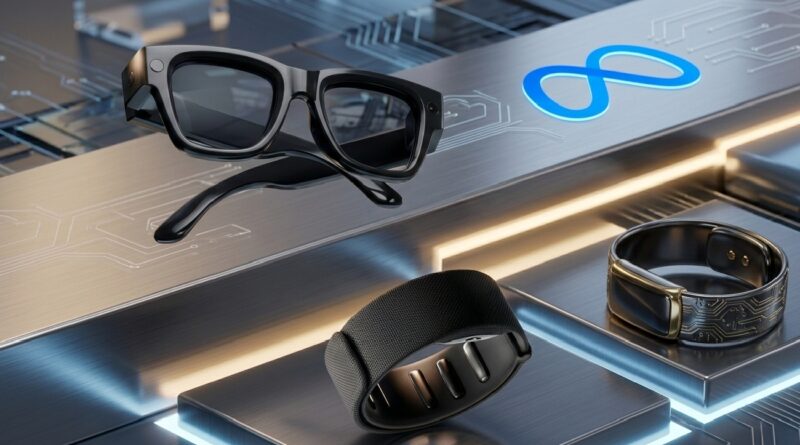
Meta Unlocks Ray-Ban Display: Web Apps, Custom SDKs, and Neural Gestures Are Coming to Your Face
The race for the next-generation computing platform just took a massive leap forward. Meta has officially thrown open the doors to its premium, display-equipped smart glasses, launching an extensive Developer Preview Program for Meta Ray-Ban Display. By shifting the device from a closed, first-party ecosystem into an open sandbox for third-party creators, Meta isn’t just upgrading a gadget—it’s actively laying the groundwork for a wearable AI application ecosystem.
The Web Apps Framework: Deploying via URL
The most groundbreaking aspect of Meta’s announcement is the introduction of a new Web Apps framework. Instead of forcing developers to master a proprietary coding language or navigate rigid app store submission processes, Meta is making development incredibly accessible.
- Familiar Tech Stacks: Developers can build standalone applications for the glasses using standard web technologies like HTML, CSS, and JavaScript.
- Instant Deployment: Experiences can be deployed directly to the glasses via standard URLs.
This completely eliminates the friction of downloading heavy software packages. Users can seamlessly pull up an interface over their field of view simply by hitting a link. Meta notes that this framework opens the door to incredibly practical, glanceable micro-apps, including:
- Interactive Gaming: Lightweight, heads-up casual games.
- Smart Transit Tools: Real-time navigation, train schedules, and walking prompts overlaid on the lens.
- Hands-Free Utilities: Step-by-step cooking guides, dynamic grocery lists, and interactive music practice tools.
Extending Existing Apps: The Wearables Device Access Toolkit
For established tech companies and digital product teams who already have successful applications on mobile storefronts, Meta is introducing the Wearables Device Access Toolkit.This native SDK allows developers to effortlessly bridge the gap between platforms. Rather than rewriting an entire backend, engineers can extend their existing Android and iOS mobile applications directly to the smart glasses’ monocular display interface.
The toolkit bridges your current mobile architecture to the glasses, enabling real-time streaming of key data into native, glanceable UI components. These include clean text overlays, crisp images, interactive buttons, scannable lists, and smooth inline video playback.This ensures that everything from warehouse picking checklists to real-time fitness metrics can be piped straight to a user’s line of sight without requiring them to pull out a smartphone.
Redefining Control: The Power of the Neural Band
Beyond the visual display, the standout feature driving early developer excitement is Meta’s Neural Band input. Included with the Display glasses, this wrist-worn accessory uses surface electromyography (EMG) to read electrical signals from subtle muscle movements in the wrist and fingers.
Unlike traditional AR systems that rely on battery-draining hand-tracking cameras or awkward voice commands in public spaces, the Neural Band translates biometric intention into immediate digital action.
- Why This Matters: Early usage data reveals that users are rapidly engaging with AI-powered visual responses on the display. The feedback surrounding Neural Band integration has been overwhelmingly positive, providing discrete, intuitive gesture controls that make interacting with data feel completely seamless.
- Strategy: The Next-Gen Computing EraMeta’s broader playbook here is clear. By lowering the entry barrier for web developers and offering deep native hooks for mobile engineers, they are racing to scale a rich wearable AI ecosystem before competitors can solidify their footing.
As software updates roll out and the developer ecosystem matures, the line between smartphone utilities and smart glasses realities is blurring fast. For developers, the canvas is no longer a glass screen in a user’s hand—it’s the world right in front of their eyes.
Frequently Asked Questions (FAQs)
What language do I need to know to build apps for Meta Ray-Ban Display?
You don’t need to learn a new proprietary language. Thanks to the new Web Apps framework, you can build standalone applications using standard web technologies! HTML, CSS, and JavaScript.
How are these web apps deployed to the smart glasses?
Meta has enabled direct deployment through URLs. Developers can host their experiences online, and the glasses can load and run them instantly via a web link, bypassing traditional app store download friction.
Can I connect my existing Android or iOS app to the glasses?
Yes. By using the new Wearables Device Access Toolkit, developers can extend their current mobile applications to the glasses’ interface, adding support for user interface elements like text, lists, buttons, and video.
What is the Neural Band, and how does it work?
The Neural Band is a wrist-worn input device that tracks subtle muscle movements using surface electromyography (EMG). It allows users to control the glasses’ interface using intuitive gestures without needing to rely on voice commands or hand-tracking cameras.