
Unfiltered Chaos: How Instagram’s New “Instants” Feature Is Triggering Accidental Shares and Viral Panic
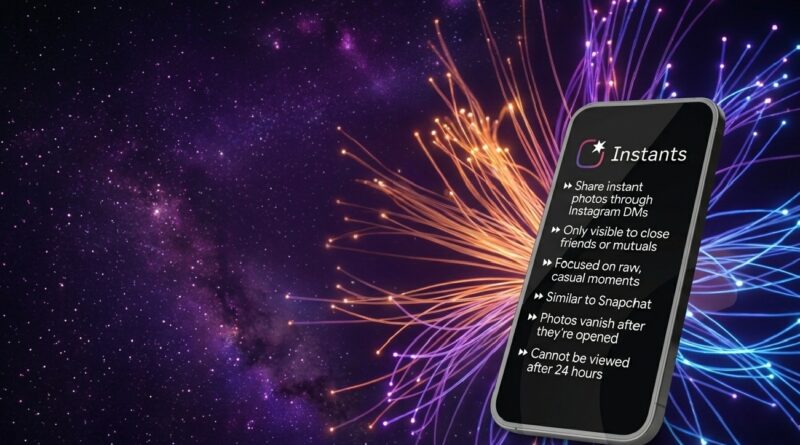
Instagram’s latest effort to bring raw authenticity back to social media has hit a major roadblock. The platform recently rolled out Instants, a new built-in feature designed to let users capture and share unedited, real-life moments as they happen. Available both directly within the Instagram app and via a fast-loading standalone application, the tool was built to compete with the spontaneous vibes of Snapchat and BeReal.
However, ever since its global rollout, the internet has been flooded with frantic reports of users unintentionally sharing raw, embarrassing, or completely unpolished photos with their friends list. The resulting social panic has left thousands of users looking for a way to disable the feature entirely.
The Anatomy of an Instant: How the UI Works
The main issue driving the panic stems from how quickly the new user interface operates. Instants does not behave like a traditional Instagram post or Story; there are no editing suites, filters, or review screens.
- The Inbox Entry Point: The feature appears as a small, dynamic stack of photos tucked into the bottom-right corner of your direct message (DM) inbox.
- The Camera Trap: Tapping on this photo stack allows you to view what your mutual followers have shared. However, the moment you finish viewing, the interface shifts straight into an active camera tab, prompting you to share your own live moment.
- One-Tap Deployment: On the camera page, you cannot upload an image from your gallery. You must snap a photo right then and there. The page features two primary sharing buttons; “Friends” (mutual followers) or “Close Friends.” The moment you tap either of these options, the photo is instantly transmitted to that selected group without a final preview or a secondary confirmation pop-up.
While Instagram provides a brief tutorial the very first time you interact with the photo stack, the lightning-fast “snap-and-send” design has led to plenty of accidental misclicks.
Damage Control: The “Undo” and “Snooze” Safety Nets
For users who have accidentally fired off an unwanted snapshot, Instagram has built a couple of mitigation tools into the ecosystem to manage the experience.If you react quickly enough after hitting send, an “Undo” button appears immediately on your screen. Tapping this allows you to pull the photo back and delete it before anyone in your inbox opens it.
Because Instants are strictly disappearing photos, once a recipient opens the image, it vanishes from their inbox forever (though it remains saved in your private personal archive for up to a year). For those who want to avoid the photo stack altogether, Instagram includes a “Snooze” option.
This lets you temporarily hide incoming Instants notifications and remove the icon stack from your DM tab, giving you a break from the pressure of real-time sharing.
Frequently Asked Questions (FAQs)
What exactly is the new Instagram Instants feature?
Instants is a disappearing photo feature embedded in Instagram DMs (and available as a separate app) that lets you share unedited, real-time snapshots with mutual followers or Close Friends.
Can I edit my photos or use filters on Instagram Instants?
No. To promote authenticity, Instants completely strips away filters, editing tools, and the ability to upload images from your phone’s camera roll.
Why are people accidentally sharing photos through Instants?
The interface opens directly into the camera view and features one-tap sharing buttons. Because there is no final “Confirm Send” or preview screen, tapping “Friends” or “Close Friends” instantly pushes the live photo to your contacts.
How can I stop seeing or using the Instants feature?
While you cannot permanently delete the built-in button from your code, you can use the “Snooze” option within your settings to temporarily hide incoming Instants notifications and clear the photo stack from your inbox view.