Googlebook: Google’s New AI-First Laptop Blends Android and ChromeOS for Small Businesses
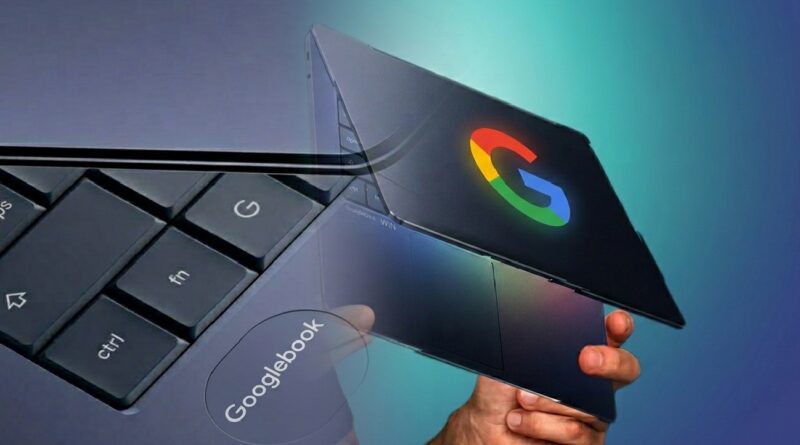
In a rapidly evolving technology landscape, small business owners are always on the lookout for tools that enhance productivity and drive innovation. Google‘s recent unveiling of Googlebook introduces a promising game-changer: a brand-new category of laptops that blends the best features of Android and ChromeOS. Tailored to leverage advanced artificial intelligence from the ground up, this premium hardware ecosystem is a compelling option for businesses navigating the digital realm.
Rather than treating AI as an occasional chatbot tab, Googlebook integrates Google’s flagship AI models directly into the core user experience. By combining the vast library of Google Play store apps with the robust functionality of the world’s most widely used browser, this integration points to a future where technology becomes an intelligent partner rather than just a static tool.
Designed for Gemini Intelligence: Proactive Help for Workflows
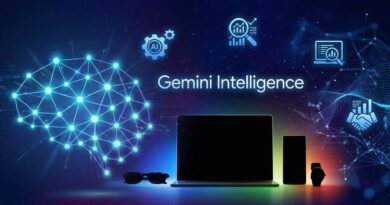
Googlebooks are the first laptops designed from the ground up for Gemini Intelligence, delivering personal and proactive help when and where you need it. For small business owners, the benefits of adopting this platform could be substantial. Equipped with deep AI integration, these laptops are engineered to provide timely insights and assistance tailored to individual operational needs.
- The Magic Pointer: Developed alongside the Google DeepMind team, this feature transforms the traditional cursor into an AI-aware assistant. By simply “wiggling” the mouse over the screen, users can activate Gemini context clues. For instance, hovering over a date inside a client email instantly suggests scheduling a calendar meeting, while selecting product images can generate an automated visual mashup.
- Create Your Widget: Instead of sorting through heavy folder structures, users can use natural language prompts to build custom desktop dashboards. Gemini can pull live data from Gmail, Google Calendar, and the web simultaneously, allowing a business owner to instantly generate a single widget tracking logistics, flight details, and meeting schedules for an upcoming vendor conference.
Seamless Android Synchronization and Collaboration
With remote and hybrid operations increasingly becoming the norm, cross-device compatibility is vital. The Googlebook is designed to stay in complete synchronization with the Android ecosystem, facilitating easier collaboration among team members.Through features like “Cast My Apps,” employees can stream and interact with mobile applications directly from their smartphones into a floating window on the laptop screen without needing local downloads.
Additionally, a “Quick Access” feature streamlines file sharing by letting users browse and pull files from a nearby Android phone straight into the laptop’s file manager seamlessly. Team members can share real-time insights across devices, ultimately fostering a cohesive work environment.
Considerations for Transitioning Small Businessess
However, the product is not without its potential challenges. Because Googlebook positions itself as a higher-end segment featuring premium craftsmanship and a signature aesthetic “Glowbar” light strip, small business owners will need to consider the cost of transitioning to this new technology. As with any major investment in equipment, evaluating the return on investment (ROI) is crucial. Compatibility with existing local systems presents another hurdle.
While Googlebooks promise seamless integration with Android and ChromeOS web frameworks, any legacy software or specialized hardware setups in a small business must be evaluated for compatibility before a widespread upgrade. Furthermore, early rollouts will feature foundational tools, with capabilities expected to expand significantly through ongoing system updates. Staying informed will be essential to ensure your business can take full advantage of the evolving technology.
Strategic Implementation: The Pilot Program
In practical terms, small business owners may want to explore how Googlebook could fit within their existing technology stack. Rather than initiating a complete hardware overhaul, implementing a pilot program with a few select units is an excellent way to evaluate employee interactions with the device and gather feedback to inform a larger rollout.
With hardware partners like Acer, ASUS, Dell, HP, and Lenovo preparing to launch the first generation of Googlebooks, early adopters can pioneer best practices and shape how the entire organization interacts with next-generation AI tools. Embracing such innovations can redefine daily workflows, optimize time management, and maximize long-term productivity.
Frequently Asked Questions (FAQs)
Is the Googlebook replacing traditional Chromebooks?
No. ChromeOS and Chromebooks will continue to co-exist, especially within education and budget-conscious markets. Googlebook represents a distinct, high-end evolution aimed at premium performance, running a hybrid system that blends ChromeOS functionality with a deep Android tech stack.
When will Googlebook laptops be available for purchase?
Following the initial preview, Googlebook devices from manufacturing partners (including HP, Dell, Lenovo, ASUS, and Acer) are expected to officially hit retail markets in select regions during the fall season.
How does the Magic Pointer feature work on a Googlebook?
The Magic Pointer is an AI-enhanced cursor developed with Google DeepMind. Wiggling or hovering the cursor over screen elements allows Gemini to read the context of what you are looking at, instantly offering shortcuts like setting up calendar events from text or automating app actions.