Future at Your Fingertips: Samsung Debuts One UI 9 Beta for Galaxy S26 Series
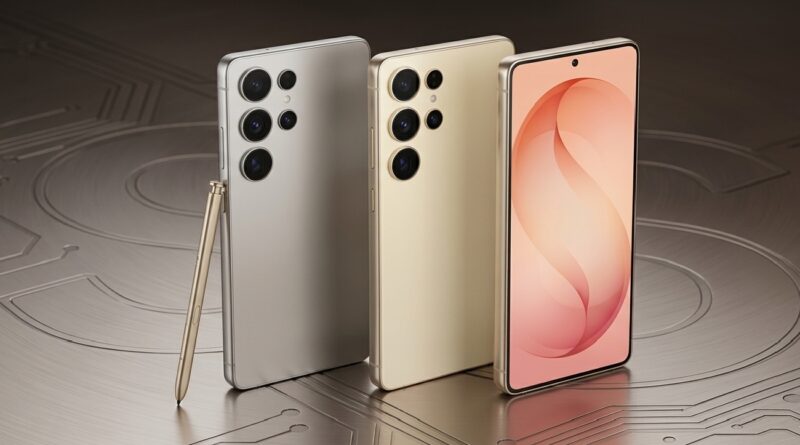
The wait is over for Galaxy enthusiasts. Samsung has officially pulled back the curtain on the One UI 9 Beta, built on the foundation of Android 17. Currently rolling out to the Galaxy S26, S26+, and S26 Ultra, this update is making its debut in the US, UK, India, South Korea, Germany, and Poland.
If you own a member of the S26 family, here is everything you need to know about the software that’s redefining the Galaxy experience.
Creativity and Personalization Reimagined
Samsung is doubling down on self-expression with integrated tools that make your device feel more “you.”
- Samsung Notes Gets “Tape”: A game-changer for students and presenters, the new Tape tool allows you to hide specific sections of your notes and reveal them with a tap. Combined with an expanded library of pen styles and line weights, sketching and journaling feel more natural than ever.
- Creative Studio in Contacts: You no longer need to jump between apps to design the perfect profile. The Contacts app now integrates directly with Creative Studio, letting you craft stunning, personalized profile cards on the fly.
- The Quick Panel Your Way: The Quick Panel has been redesigned for ultimate flexibility. You can now independently resize and rearrange controls for brightness, sound, and the media player, ensuring your most-used toggles are exactly where you want them.
Productivity and Desktop Mastery
For those who use their phone as a workstation, One UI 9 brings significant refinements to the Samsung DeX and multitasking ecosystems.
- Seamless DeX Multitasking: Moving app windows between different desktops is now a breeze thanks to a revamped header menu.
- Recents Screen Previews: You can now see full desktop previews at the top of your Recents screen, allowing you to jump between workspaces with a single tap.
A Safer, More Transparent Galaxy
Security is no longer just a background process—it’s proactive. One UI 9 introduces a robust app-monitoring system that identifies and warns you about high-risk or suspicious software.
- Privacy at a Glance: A new blue indicator will appear at the top of your screen whenever an app accesses your location. Want to know who’s watching? Just tap the indicator to see full details in the Quick Panel and manage permissions instantly.
Accessibility for Everyone
Samsung continues to lead in inclusive design with three major updates:
- Text Spotlight: Highlights and enlarges selected text in a clear, floating window—ideal for reading small print or complex documents.
- Unified TalkBack: Samsung and Google have merged their TalkBack experiences into a single, cohesive package for a smoother navigation experience.
- Mouse Key Precision: Users who navigate via external peripherals can now adjust the speed of the Mouse Key for pixel-perfect cursor control.
The AI Horizon
While the current beta focuses on refinement, Samsung has confirmed that One UI 9 is the “groundwork” for a massive AI expansion. New generative features and “Gemini Intelligence” are expected to land later this year, potentially launching alongside the next generation of Galaxy foldables.
How to Join the Beta
Ready to live on the cutting edge?
- Open the Samsung Members app.
- Look for the One UI 9 Beta enrollment banner.
- Once registered, head to Settings > Software Update to download the package.
Note: As this is a beta, some bugs are expected. Ensure you back up your data via Smart Switch before diving in!
Frequently Asked Questions (FAQs)
How do I join the One UI 9 Beta program?
To enroll, open the Samsung Members app on your Galaxy S26 series device. Look for the “Registration for One UI Beta Program” banner in the notice section or home slider. Once you’ve signed up, go to Settings > Software Update > Download and Install to grab the update.
Which devices are currently eligible?
As of now, the beta is exclusively available for the Galaxy S26, Galaxy S26+, and Galaxy S26 Ultra. Samsung typically expands beta access to the S25 series and the latest Z Fold/Flip models in subsequent weeks.
Will I lose my data if I install the beta?
While the update is designed to keep your data intact, beta software is inherently experimental and can occasionally lead to data loss or system instability. It is highly recommended to back up your entire device using Samsung Smart Switch on a PC or Mac before proceeding.
Can I go back to One UI 8.1 if I don’t like the beta?
Yes, but it requires a “rollback” process via Smart Switch on a computer. Note that switching back to the stable version usually requires a full factory reset, so ensure your data is backed up before making the jump.
Why don’t I see the update even though I’m in an eligible country?
Samsung rolls out the beta in waves to manage server load. Additionally, carrier-locked devices (like those from specific mobile providers) often receive the update slightly later than factory-unlocked models. Keep checking the Samsung Members app for the enrollment banner.
What is the “Tape” feature in Samsung Notes?
The “Tape” tool is a new digital masking feature. It allows you to cover specific text or drawings—perfect for creating self-study flashcards or hiding sensitive information during a screen share—and reveal them simply by tapping the tape.
Is the new AI experience fully available in this beta?
Not yet. Samsung has stated that this beta “lays the groundwork” for upcoming AI features. While you’ll see improvements in system intelligence and the new location tracking indicators, the more robust, “next-gen” AI tools are slated for a wider release later this year.